Find the right tempo
Find slow or fast tracks with BPM ranges for Local Files and FlowSet Samples.
FlowSet DJ
For DJs, dance teachers, dancers, and fitness instructors. Save your playlist setup once; FlowSet prepares the playback order and removes repeated tracks for each session.
Free to start. Music included. Play built-in instrumental tracks and playlists without importing audio or connecting Apple Music.
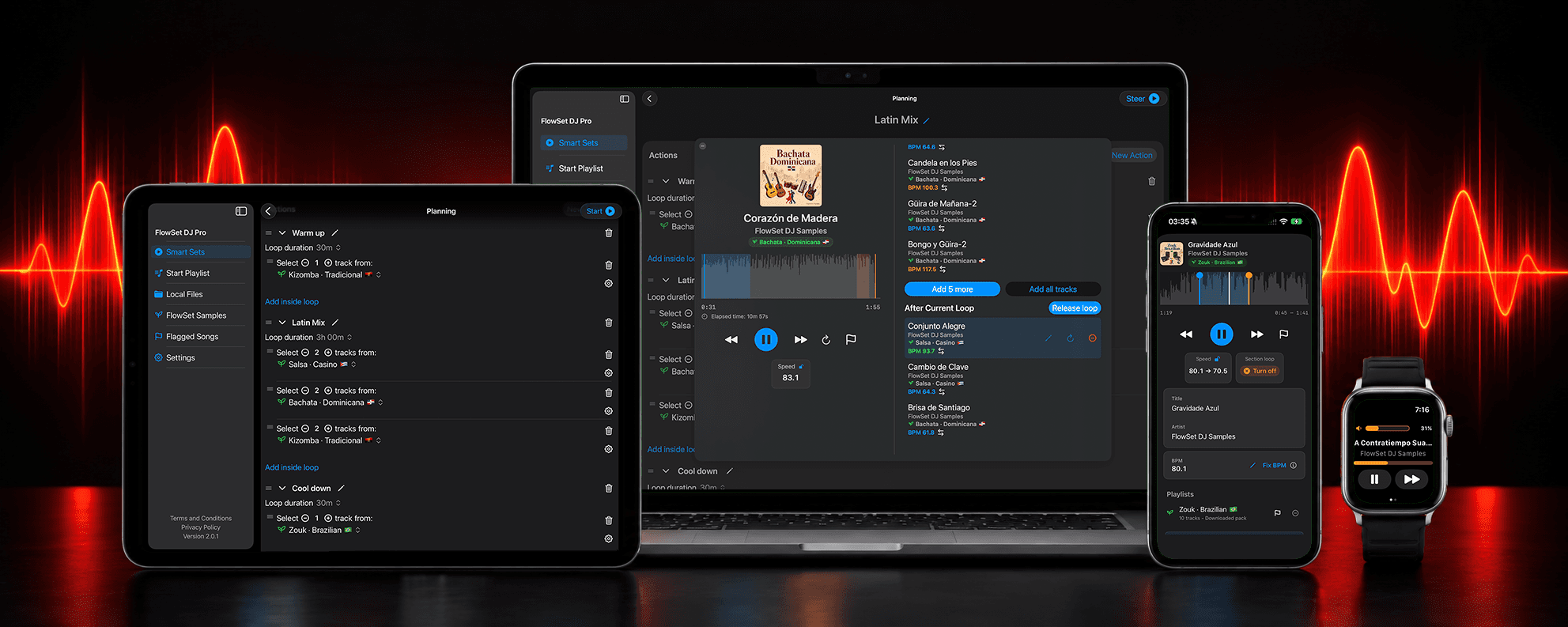
Your music plan, ready to reuse
Choose the playlists and how long each part of your session should run. Save that plan as a Smart Set, and FlowSet prepares a fresh set each time.
How Smart Sets work →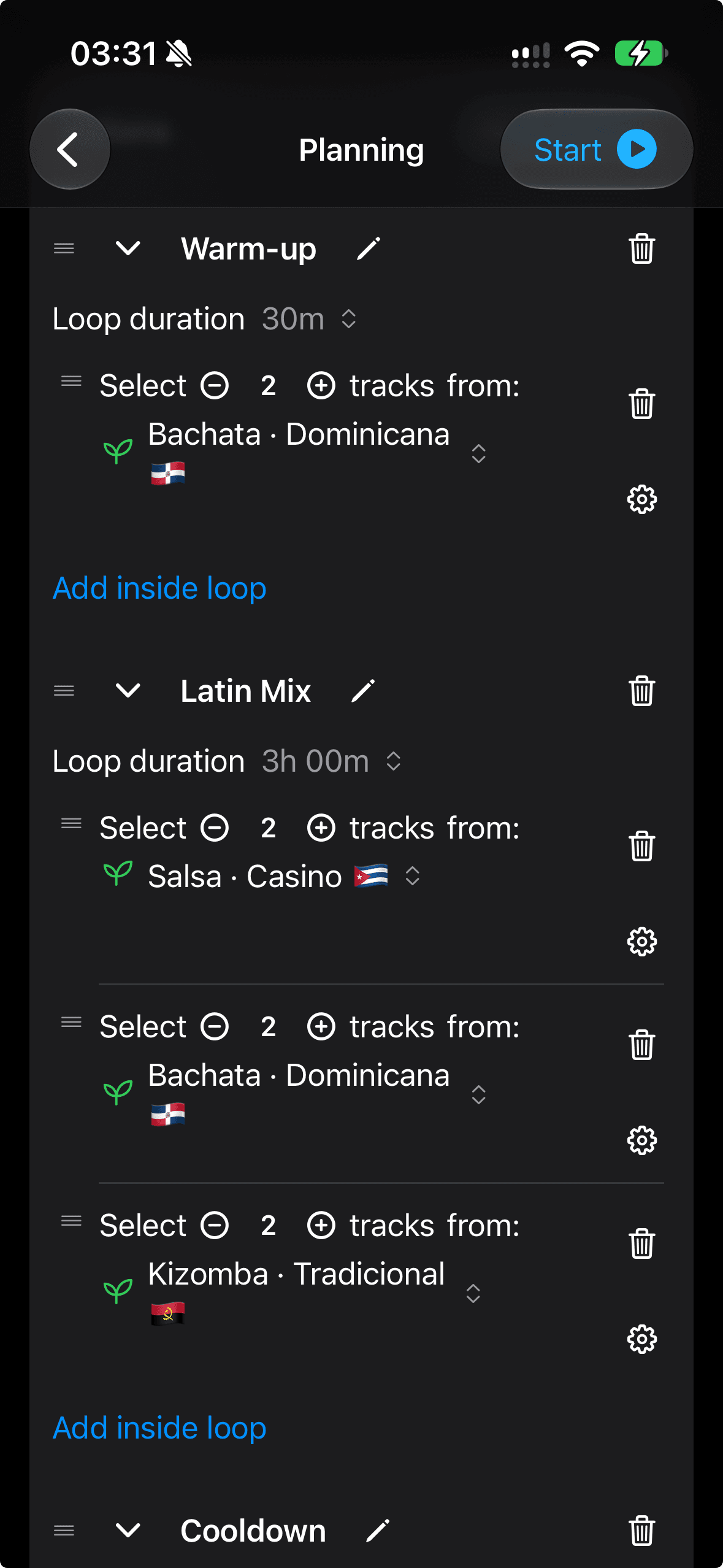
Less manual work
Find slow or fast tracks with BPM ranges for Local Files and FlowSet Samples.
Repeated tracks are removed as FlowSet builds the set, so you do not have to scan the playback order by hand.
Use automatic and beatmatched transitions with Local Files and FlowSet Samples to manage fewer track changes during a set.
Built for real sessions
FlowSet DJ helps you spend less time checking playlists and more time running the session you planned.
Build a set from mood and energy playlists, then let FlowSet prepare the playback order.
Find the right tempo, slow songs down for teaching, and reuse class setups without rebuilding them.
Repeat a song passage and adjust its tempo for practice with Local Files or the included music.
Practice tips →Mix playlists for different moments of the floor while repeated tracks are removed automatically.
Prepare warm-up, training, and cooldown music so the session needs fewer live queue adjustments.
Bring your music
Connect Apple Music playlists, or bring local audio and M3U or M3U8 playlists. Use Local Files or the included music for tempo changes and automix.
Compare sources and playback tools →Try FlowSet Free
Start free with included music on iPhone, iPad, or Mac. Use Apple Watch to control playback on your paired iPhone.